
Using The “Row Limit” Feature For Quickly + Cheaply Testing Enrichments
On both the Company & Contact pages, you’ll see the “Enable Row Limit” checkbox right under the action bar.
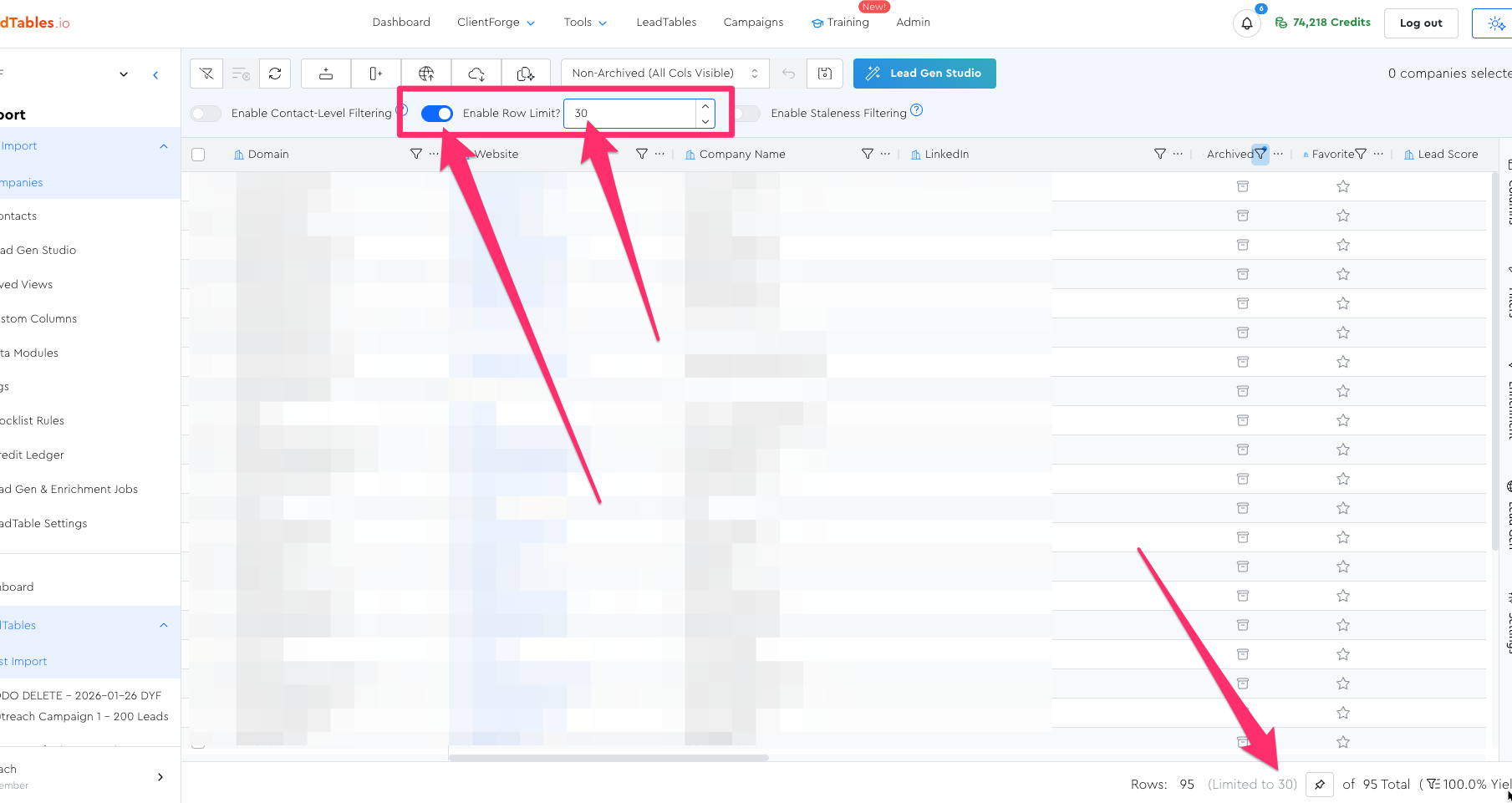
When enabled, it will cap your result set to whatever number you type in.
Why This Is Nifty
This cap also applies to any Data Module executions you run with it enabled, which makes it a useful way to quickly test enrichments on a subset of your leads.
Example:
So in other words, suppose you have…
- 1,000 leads in your table
- The row cap enabled and set to
10 - And you click “deploy to all” for a formula
→ It will only deploy it to those 10 that were currently showing. Nifty!
Notes & Caveats
Note: As of March 2, 2026, the Row Limit setting does NOT get stored in saved views. It’d need to be freshly-applied to the table any time you want to use it.
If you need a stored row limit, I’d recommend you achieve that result with tags.