
What the “Tool Panels” Are & How They Work
Before we move on, I want to talk about the “Tool Panels” in LeadTables, because you’ll hear me talk about them a lot.
The Tool Panels are these items in the right-hand sidebar:
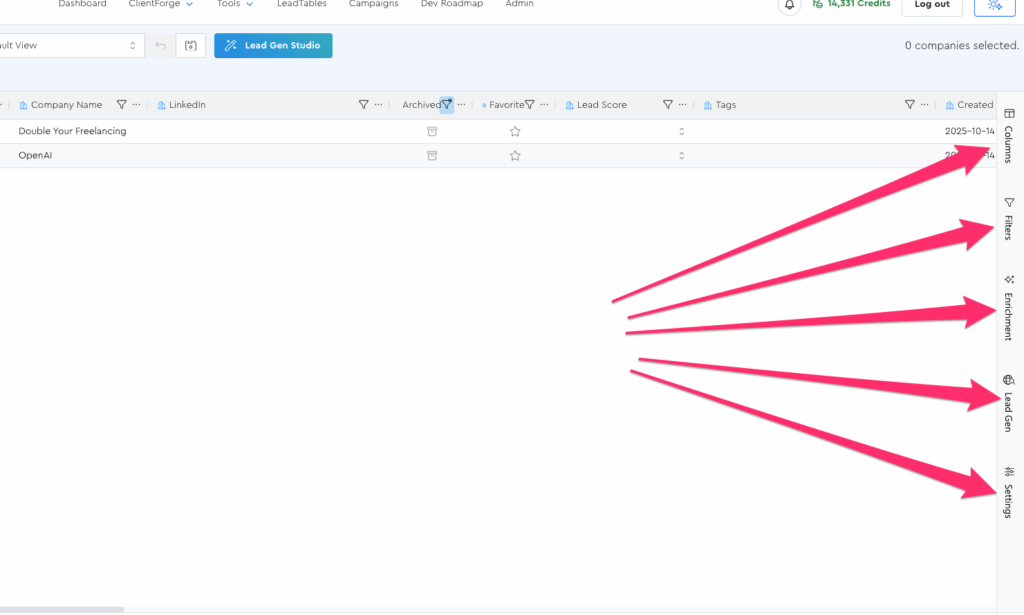
(If they don’t all fit on the screen, you can scroll it up and down)
((Remember that LeadTables is still early days so I’ll likely change the Tool Panel names, separation, etc. over time for better UX))
You’ll learn what each tool panel does soon and how to use them; for now, just know these 3 things…
- Tool panels are NiftyAF
- You click them in the sidebar to open them
- Once you’ve opened them, you can drag their handles on the left side to resize them if you want to