
Filtering
Filtering is a huge part of building a solid ICP for your outreach campaigns.
Applying filters in LeadTables is easy; there are two ways you can do it.
1 — Filtering Directly On The Column
To apply filters onto a column directly, just click the little filter icon:
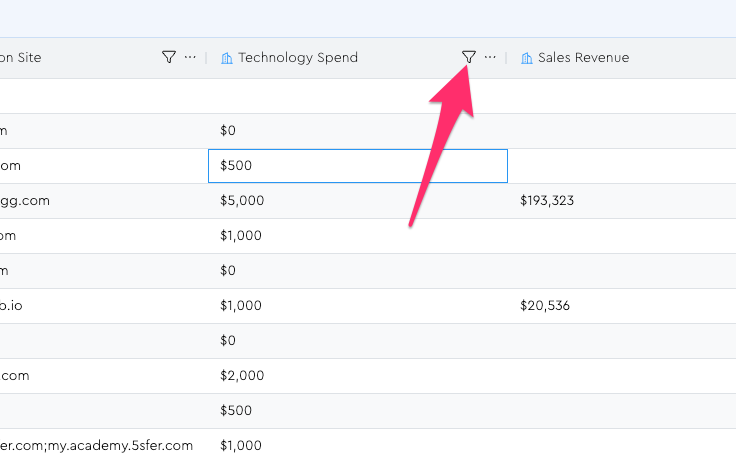
This will open the filter menu. If ever you run into something like the example below, where the filter options aren’t what you’d expect – i.e. in this case we see text-oriented filters like “contains” and no number-oriented filters like “greater than,” “less than,” etc. – it means you forgot to map this column to the correct type when uploading.
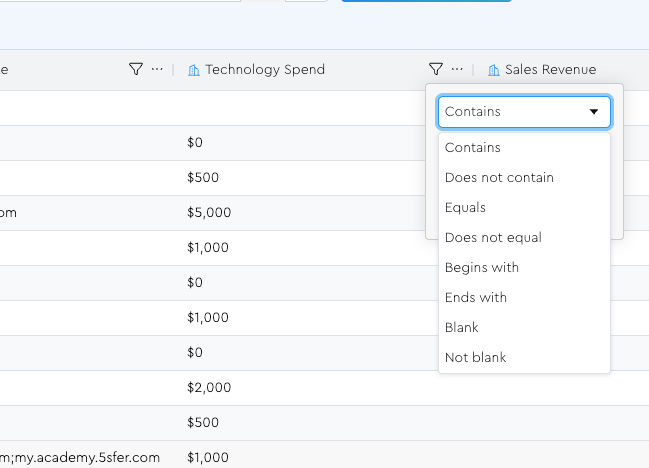
To rectify, do a fresh “enrichment mode” upload where you just map this column and the unique identifier column, and map it to a new column that you remember to correctly set the type for.
NB: I’ll eventually allow you to change the data type for existing columns, but at the time of writing, that functionality doesn’t yet exist. (It’s more complicated to build than you might think)
Filtering In The Filters Tool Panel
If you want more of a “master view” of all your stacked filters, you can go into the Filters tool panel:
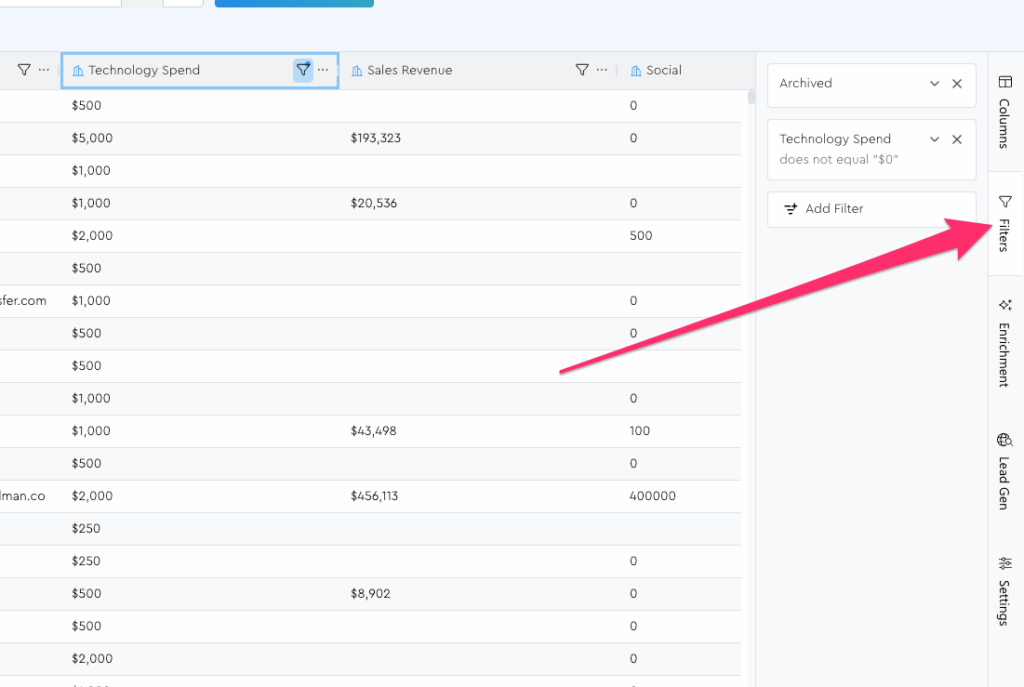
You can add, remove, and edit filters all from within here.
(You can also drag the left side edge of the tool panel to resize it if needed)
Clearing Filters
Clearing filters is basically the same as you learned in the sorting lesson.
You can…
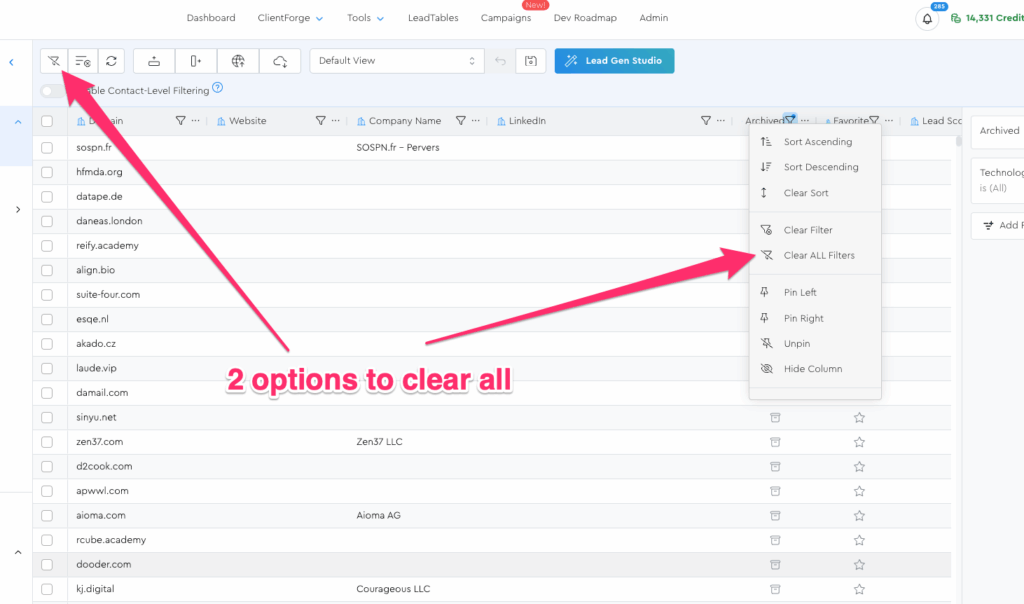
- Clear an individual filter from the column menu
- Clear an individual filter from the Filters Tool Panel
- From the “clear all filters” button in the Action Bar
You can also do the “clear all” from within the column menu, at least as of today. (I might remove it from the column menu though because I’m not sure it’s great UX to have it in there)
Note: Where LeadTables Filtering Is Currently Weakest
Down the line, I want to develop a more robust filter control for advanced users that allows complex chaining of “AND” and “OR” filter conditions.
But right now, that’s not possible.
Right now, every different column filter you stack functions as an “AND-style filter.”
To get around this if you want to stack “OR-style filters,” you can use tags.
So in other words, if you want this ICP…
- At least $1m/yr in revenue
- OR at least 20k insta followers
- OR at least 20 employees
…What you could do is just apply filter 1, add a “Good ICP Fit” tag to them, then apply filter 2 and add the same tag, etc., then once you’ve done all that, filter by “has the ‘Good ICP Fit’ tag” and you’ll see ‘em all there.
You’ll learn about tags in the ‘The LeadTables “Action Bar”’ module.