Sorting & Multi-Sorting
Sorting is easy in LeadTables — simply click the column header you want to sort by!
When you do, you’ll see this icon:

Click…
- Once to sort ascending
- Twice to sort descending
- Three times to clear sorting
You Can Also Multi-Sort!
If you sort by something with a lot of matching values, you might want to use multi-sort.
For example:

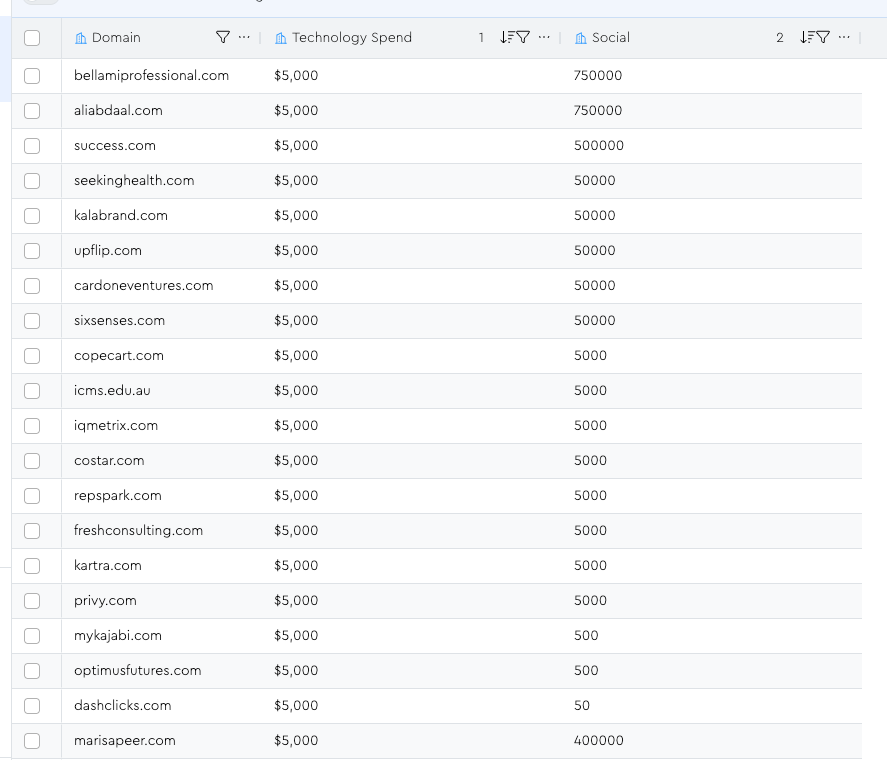
If you want to primarily sort descending on tech spend, then descending on social, first do the tech spend sort, then hold shift and click the “social” column twice while holding it.
Once you do, you’ll see that now you have a more granular idea of what “best to worst” looks like in the event of a tie. (Notice the “1” and “2” that show up next to the sorts)
Clearing Sorts
The two ways to clear sorts – other than just clicking the column until it’s not sorting anymore – are…
1 — The column menu
Right-click the column header, or click the “…” to open its menu. Click “clear sort” from within.

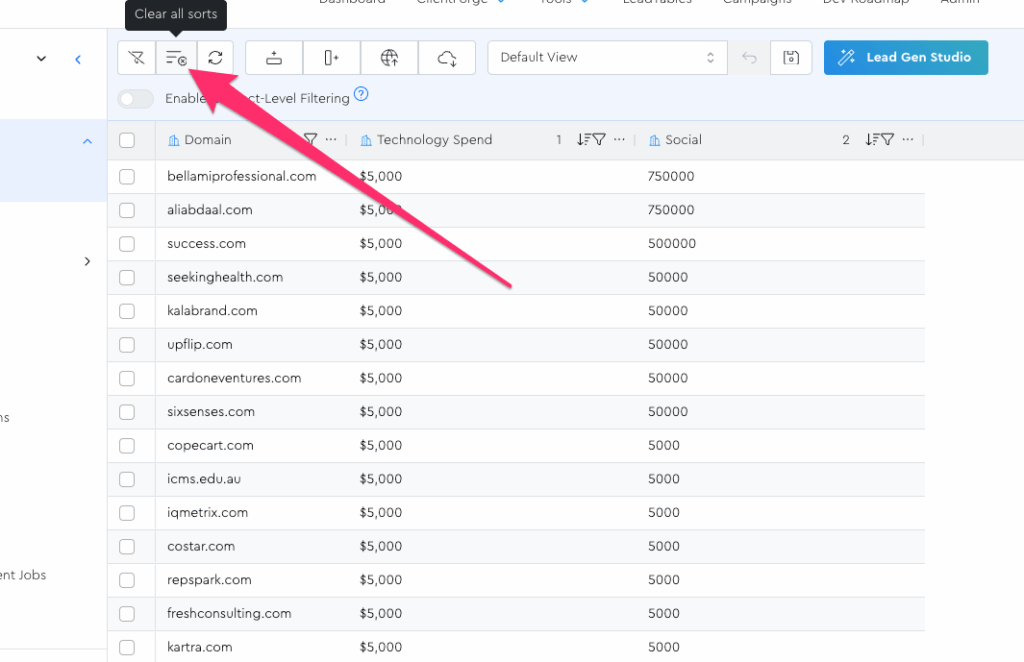
2 — The “clear all sorts” button
If you ever want to wipe ALL sorts on your LeadTable, you can use this button in the Action Bar: