The “Tags” Actions
Tags have got to be my favorite action.
When you click the tags action, you have 3 options:
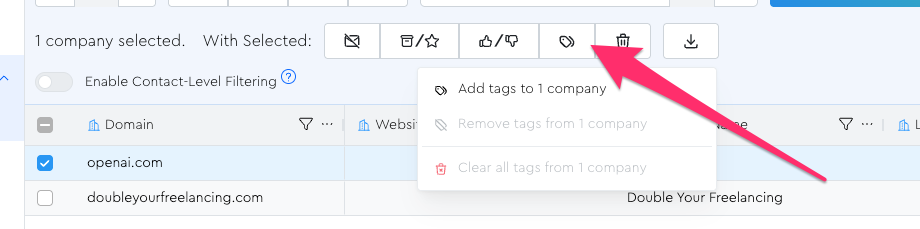
- Add: add one or more tags to the selected leads
- Remove: remove one or more tags from the selected leads
- Clear: clear literally all tags from the selected leads
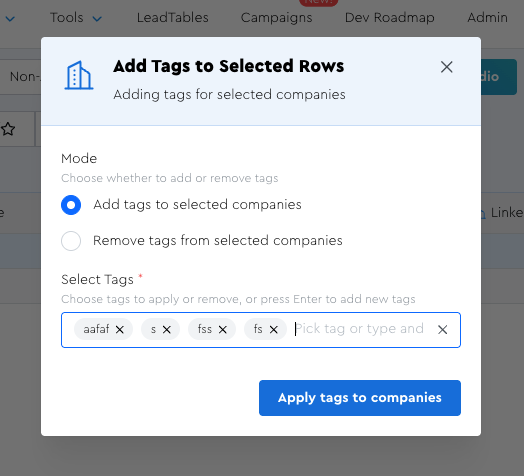
In the modal, you can type a comma to create multiple new ones at once (or select from existing ones if you already have them)
Companies-Of-Contacts Tagging
While working on Contacts grids, I often found myself wanting to “do stuff to the companies of these specific contacts.”
Tags are a great way to facilitate that.
When on the contact grid, you’ll notice that the tag actions render like this:
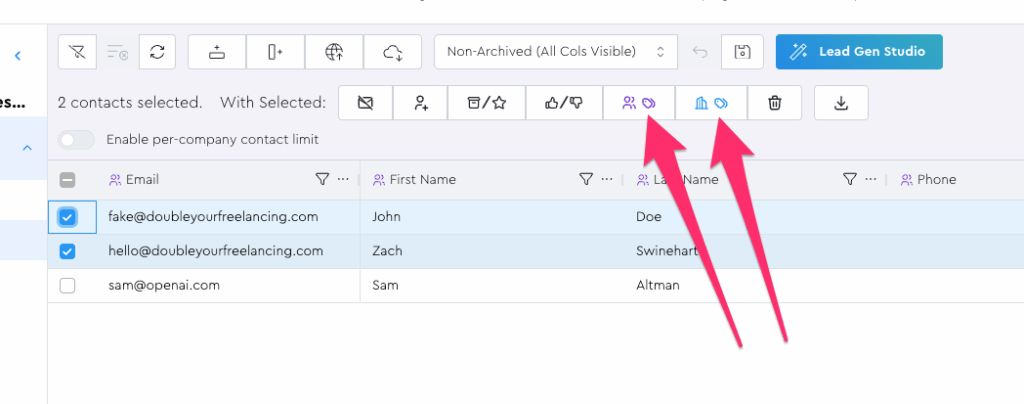
- Purple human icon = add tags to contacts
- Blue building icon = add tags to contacts’ companies
So if I were to select these 2 DYF leads and then add an example “in DYF” tag using the blue “companies of contacts” approach, what do you think would happen?
Would it mess up and break and add that tag multiple times to the one company since both contacts are in the same company?
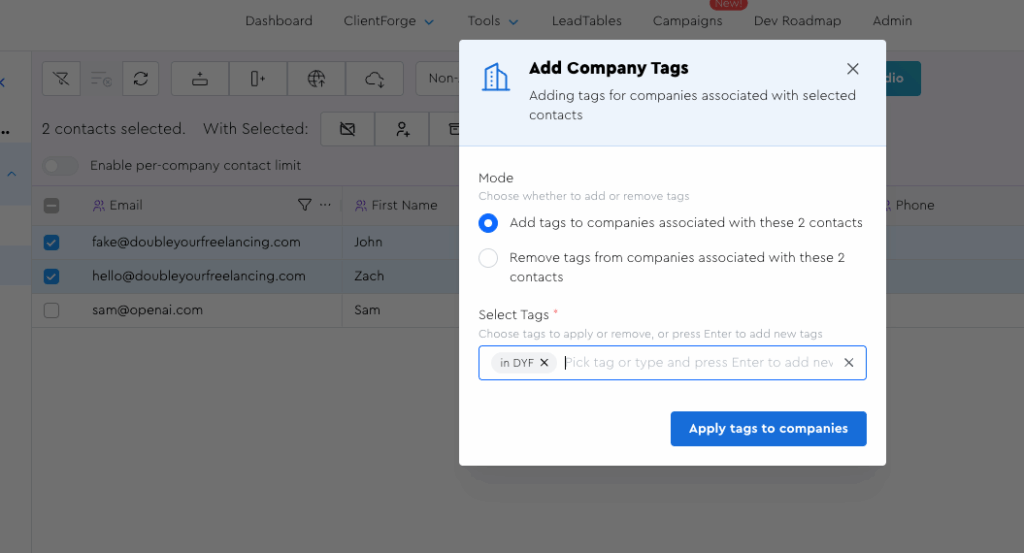
Nah, brah. Zach wouldn’t do you like dat. If you go to the company grid, you’ll see that it just added it once to that one company:
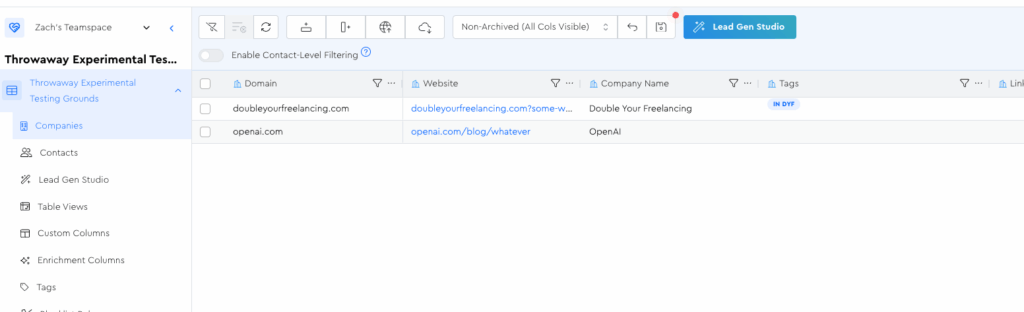
Practical applications of this would be things like going into your contact grid, filtering by “job title equals CEO” or whatever, and then can add a tag to those contacts’ companies like “has CEO contacts” which you could then use for making decisions on the company grid.
More Granular Tag Customization
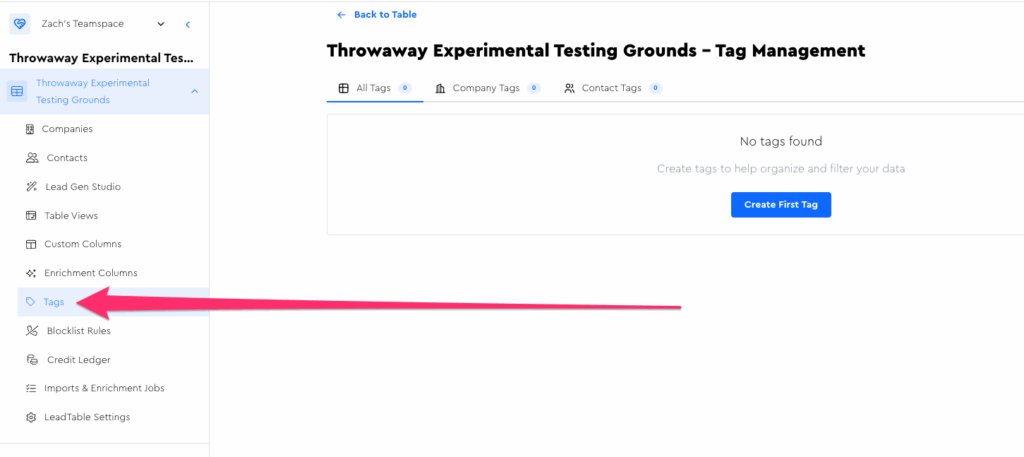
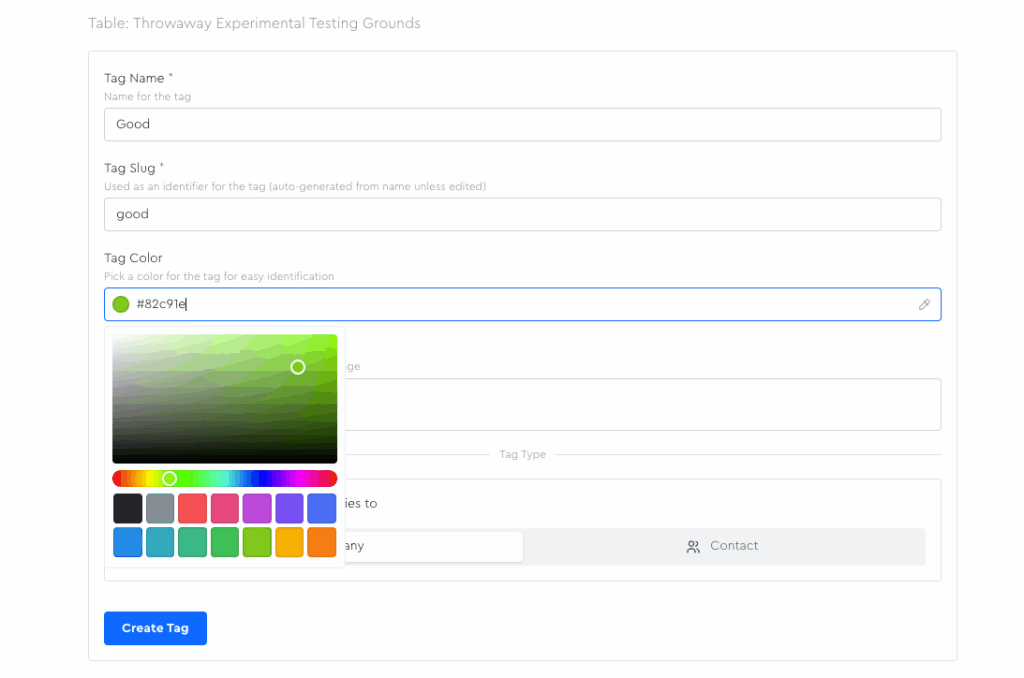
If you go to the Tags page in the LeadTables sidebar, you can edit even more details, including color, description, etc.