
How To Filter Based On “Data Staleness”
Now that you understand how staleness tracking works, the natural question is, “so how do I view just stale/non-stale rows?”
Here’s how…
First up, go into your LeadTable, and then into either the Company or Contact page, depending on which one you want to filter on staleness for.
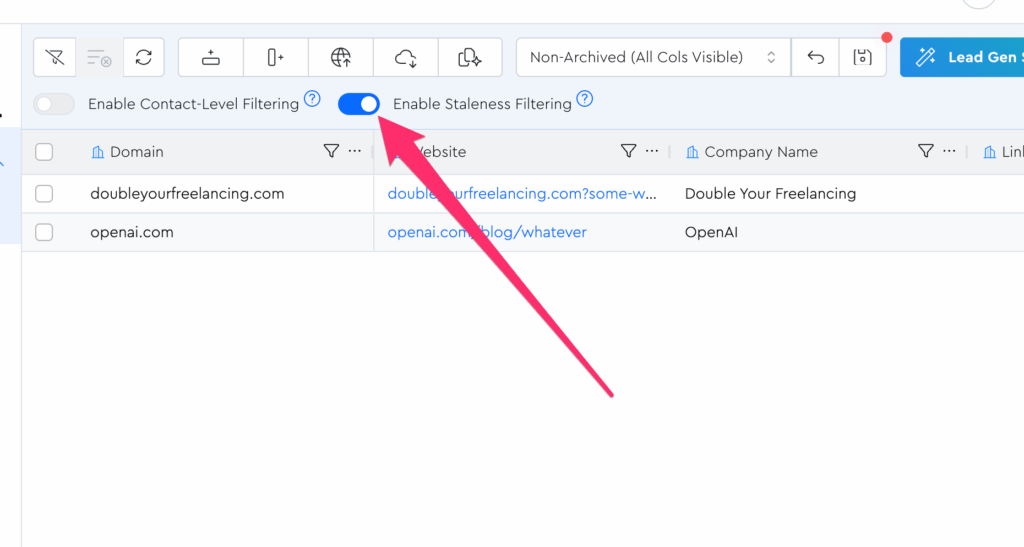
Then toggle the “Enable Staleness Filtering” setting to be turned on:
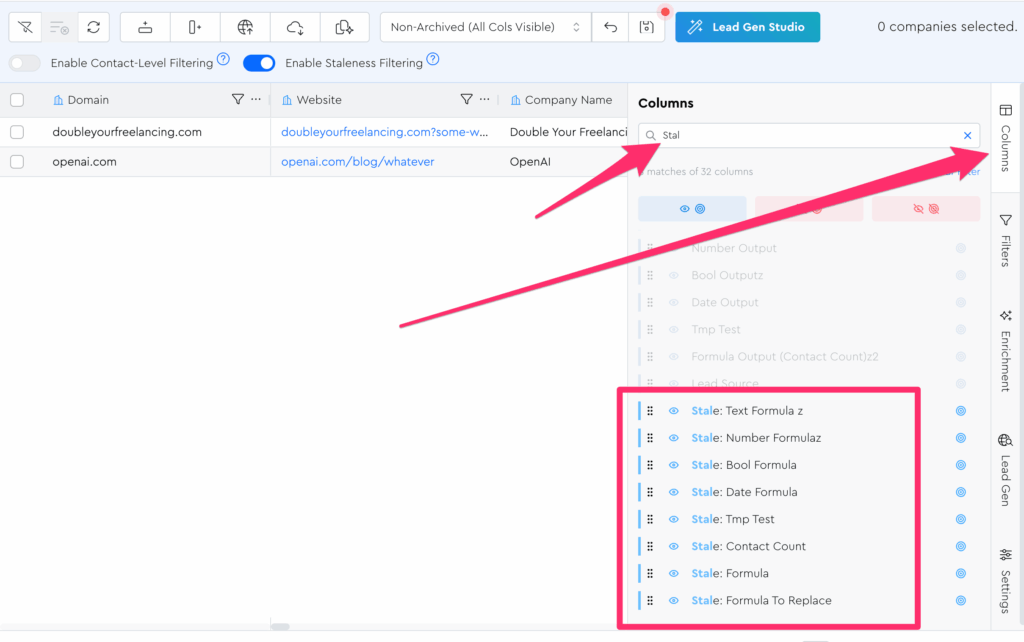
Now if you open the columns tool panel, you’ll see that each Data Module you have in this table now has a staleness output:
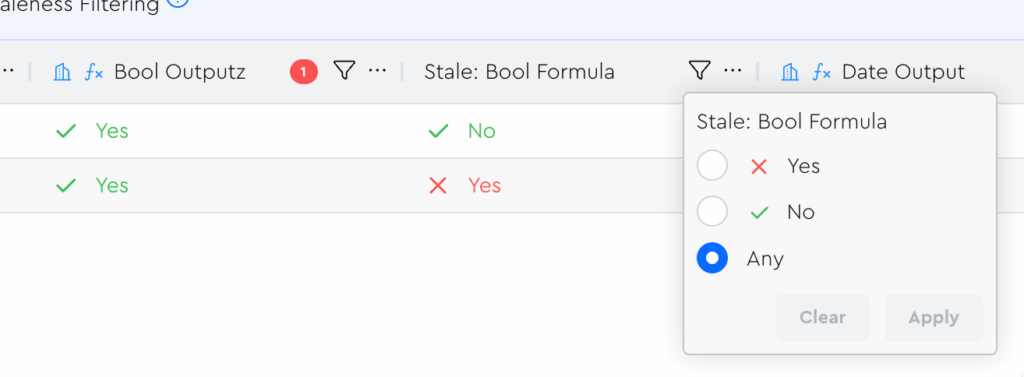
You can filter based on these like you would any other boolean filter:
Note that there’s one staleness output per Parent Data Module, not per individual column within it, and that the name mirrors the Parent Data Module’s name.