Yields
When you’re building a list for cold email as a freelancer or agency, you typically want to find the “sweet spot” where you have…
- As many leads as possible
- But also as few unqualified leads as possible
In other words, if you were to build…
- Too broad of a list without ICP filtering — You’ll experience low engagement, bad deliverability, high marked as spam rate, etc.
- Too narrow of a list with too much ICP-filtering — Sure, your list is hyper-targeted, but you also lost a lot of good leads in the process due to bad data etc. and your emails don’t go out to very many people.
Because of this, a big aspect of finding that sweet spot is looking at your “yields” as you work on your list’s ICP filtering strategy.
This borders on “strategic training” that’s covered in the $200k Freelancer course vs. here, so I’ll save the deep strategic dives for that course.
For now, zooming in on the technicals, here’s the deal:
Track Your Yields To Assess Your ICP Filtering Strategy
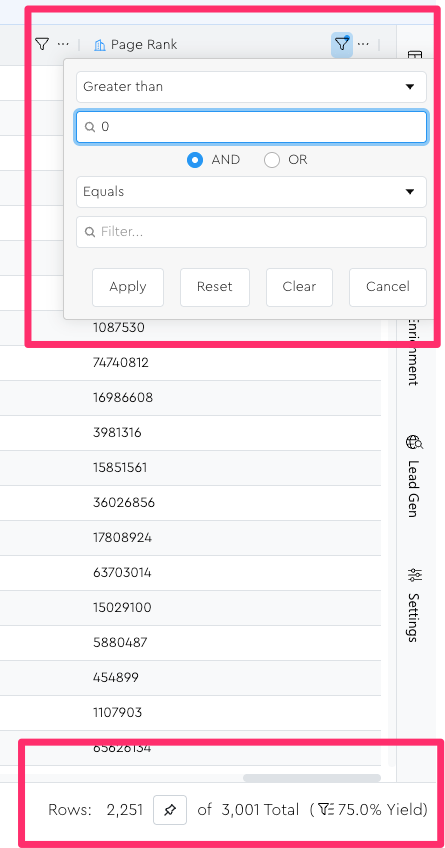
Every time you apply filters, you can see how your filtering affects your “list yield.”
Your “list yield” is essentially just the percentage of the total leads in this table that the ones currently matching your filters represent.
For example, if I filter by “page rank greater than 0” I chop out 25% of my list and sit at a 75% yield:
Yields are useful when calculating your CPL (Cost Per Lead) for a lead source, because of a situation like the following:
Suppose you…
- Buy a list of 10,000 leads
- For $100
- But only 10% (1,000) of those leads pass your ICP filtering criteria
What’s your actual effective CPL?
- Is it $0.01 ($100/10,000)?
- Or $0.10 ($100/1,000)?
Assuming you’re confident that your ICP filtering strategy isn’t accidentally removing any good ones — which it probably is — and that legitimately only 1,000 leads here are usable, I would argue that your CPL is effectively $0.10.
Why: because if you’d bought your leads somewhere else – like from a whole different “pond” that has better native ICP filtering – where the yield would have been higher, you might have gotten a better deal.
(e.g. you might pay $100 for only 5,000 leads but if you get a 50% yield on them, your effective CPL was $0.04 instead of the $0.10 of the other pond)
This is why it’s useful to think about yields.
Getting Granular With Yield Pinning
In the screenshot above, we filtered by “page rank greater than 0” and got a 75% yield.
Now suppose we want to know what percentage of those 75% have some other attribute too. (To get an even tighter list.)
If you were to try to calculate that in your poor sweet brain, you’d have to do a lot of math.
But you can thank the lawd your dear pal Zach made a “yield pinning” feature in LeadTables so you don’t have to do any of that stupid awful scary bad math.
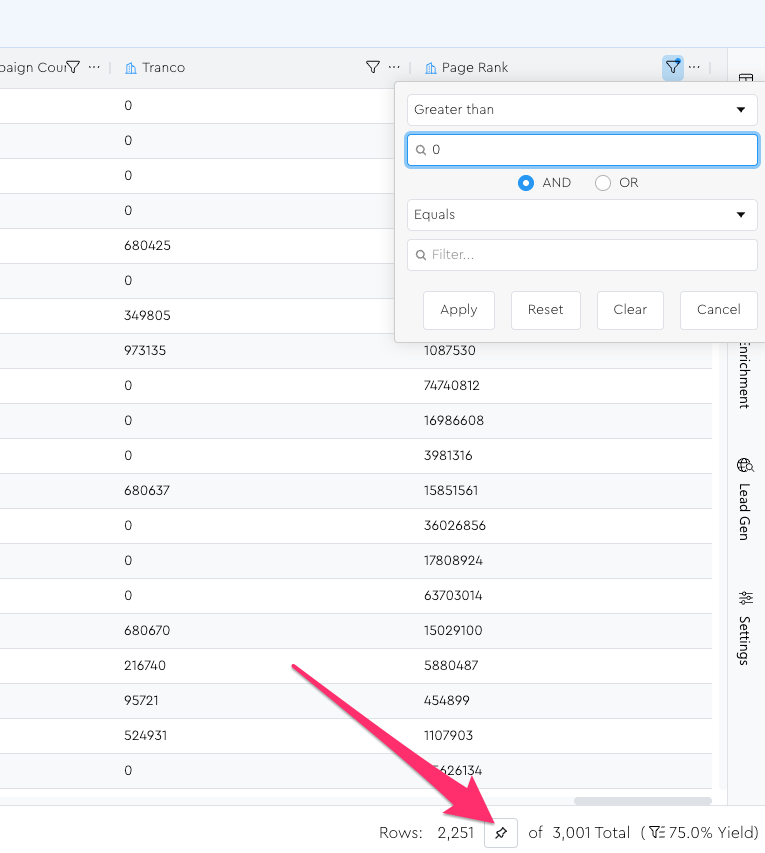
To pin a yield, just click the little pin button down in the Footer Bar:
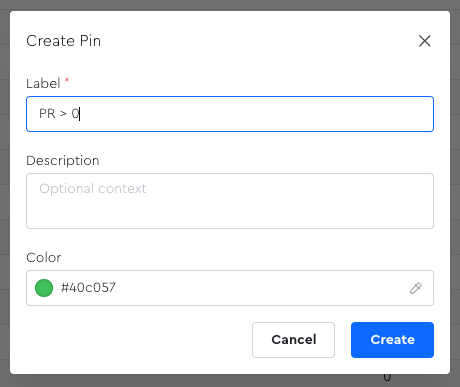
Then name it whatever you want:
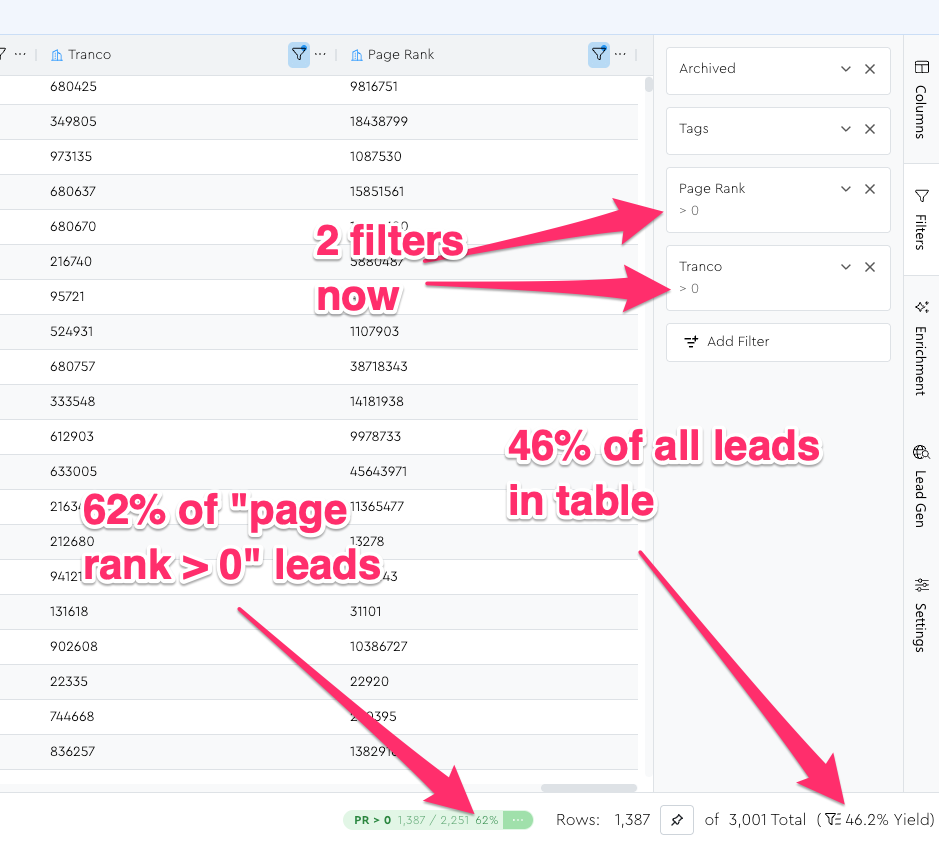
Now, if you adjust your filters (add more, remove some, whatever), you’ll be able to see your current list size relative to what it was when pinned
Nifty, eh!?!?!?
This is a great way to see how much your list shrinks (anything under 100%) or grows (anything over 100%) depending on tweaks you make to your filters.
If you’re pinning a yield that represents a “compound filter state” that you want to easily come back to, make sure you create a Saved View for that filter state before you mess it all up with your experimentation. 😉
Note: Pinned Yields Are NOT Dynamically Updated
If you do something to your grid that would have affected the count of the leads that you pinned the yield from — e.g. you add a bunch more leads to your table, apply bulk actions that affect your filtering, etc. — keep in mind that the pinned yield count will NOT be updated.
So, at least for now, you have to update your pinned yield counts manually.
(I might add auto-updating functionality eventually, but counting the number of leads in a filter set can be surprisingly “heavy” from a database perspective, and counting all the leads in your table filters + all the leads in the filters of your pins would be a recipe for a slowAF table experience.)
Here’s how to manually refresh your pinned yield counts:
1 — First apply the appropriate filters to your grid that you had applied when initially pinning the yield (hope you saved a view!)
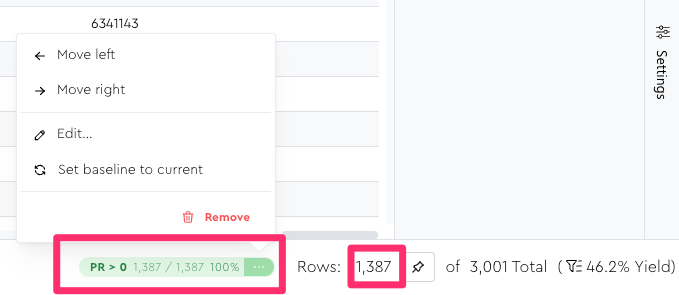
2 — Then open the pinned yield’s menu and click the “Set baseline to current” menu option:
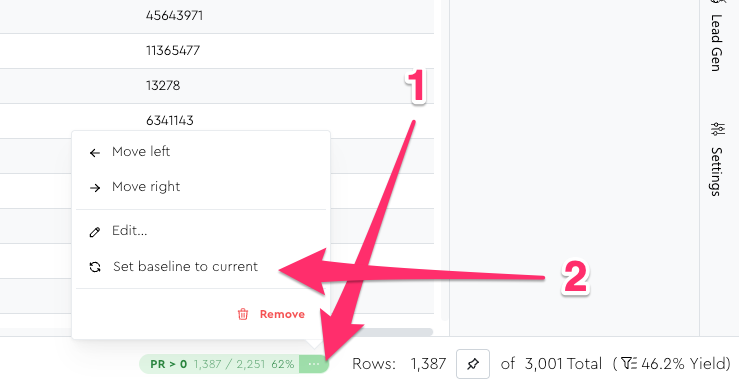
If you do that, the total for this pinned yield would become 1,387 instead of 2,251: