
The “Lead Score” Actions
The lead scoring actions give you a broad-strokes way to score a lead on a 1-5 scale, following the iconography/scoring I use throughout the $200k Freelancer course (so if you’re a non $200KF member, I guess this is probably your first time seeing it)
Filtering On Lead Score
Once you’ve scored some leads, you can filter based on lead score in the Filters Tool Panel and in the grid:
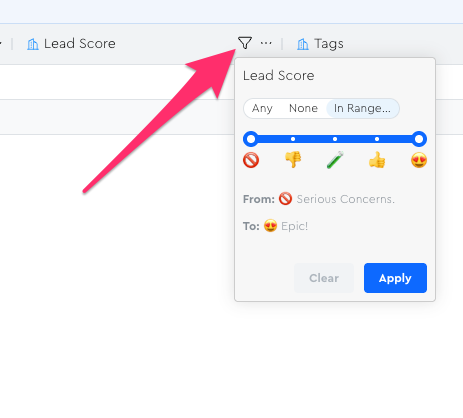
The filter works like a min/max range to help you easily see the leads you want.
You can also filter on “Any” or “None” to help you quickly see all the leads you have/haven’t scored yet.
NB: If you apply the filter at the widest range possible, it will still exclude un-scored leads.
For example, if I apply this filter range to my grid where only one has a score:
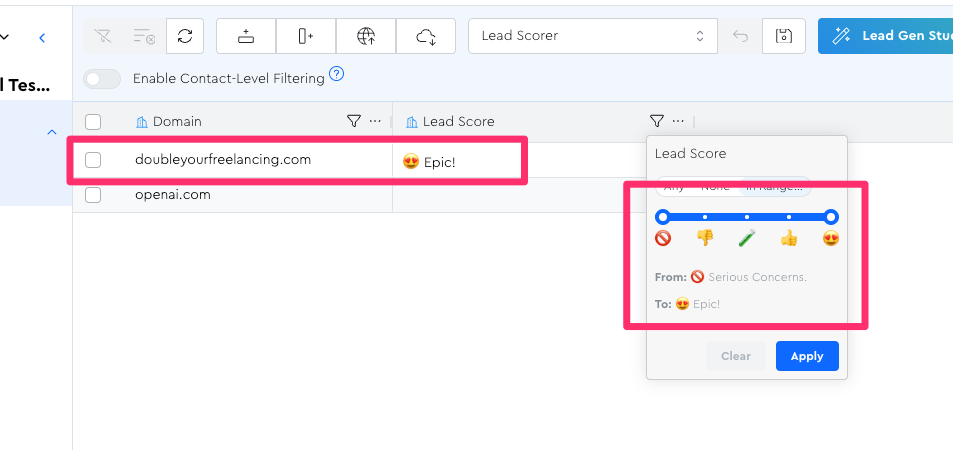
I will see just this one lead vs. seeing both:
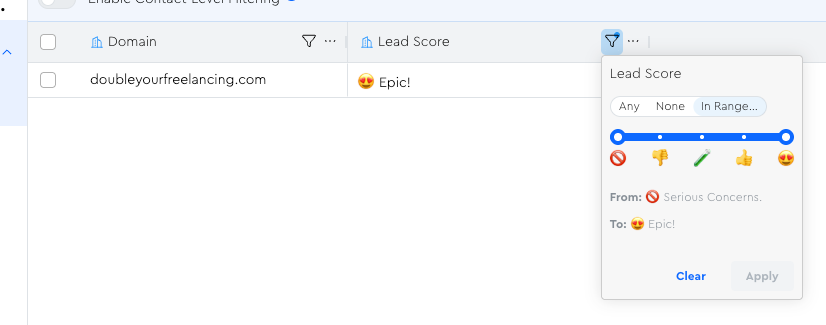
If I want to see openai again, I can either click…
- “None” — I’ll see ONLY openai
- “Clear” — I’ll remove the filter entirely and thus see everyone