
Using Liquid Syntax For Deeper Logic
LeadTables fully supports the “Liquid” templating language.
You can use it in any field that allows you to inject variables.
If you haven’t heard of Liquid before, it’s a sort of pseudo-code language that was created by Shopify and is commonly used in email marketing platforms, cold email platforms, and more.
Any time you’ve seen something like, Hi {{ first_name }}, in a tool, that’s either Liquid or a bastardized version that looks like liquid but doesn’t actually function the same way. (Lookin’ at you, Smartlead and Instantly 🙄)
There are plenty of resources for learning Liquid online, and ChatGPT can usually help you accomplish what you want.
And to further help you become a Liquid Beast™, I built 2 cool things for you…
- A LeadTable Context-Exporting Feature — makes it easy to copy out all the important details about your LeadTable’s columns to get help from an LLM.
- LiquidGPT — A pre-trained ChatGPT model that has a lot of pre-loaded context about Liquid, LeadTables, and my approach to writing formulas on the platform.
We’ll get into that in an upcoming lesson; for now let’s focus purely on the zoomed-out advantages of using Liquid.
Preface: Liquid Looks Scarier Than It Is
If you’re not a developer, your eyes are probably going to glaze over in this module if you’re not careful.
You’ll say things like, “I’m not a developer, there’s no way I’ll be able to figure this out!!!111!!!1!one!!11”
But I encourage you to give it a shot!
If you enlist ChatGPT’s help, you’ll be doin’ crazy fancy shizz in no time.
The nice thing about liquid in the context of LeadTables is that if you write some janky-ass non-functional liquid code, the output preview will make that clear:
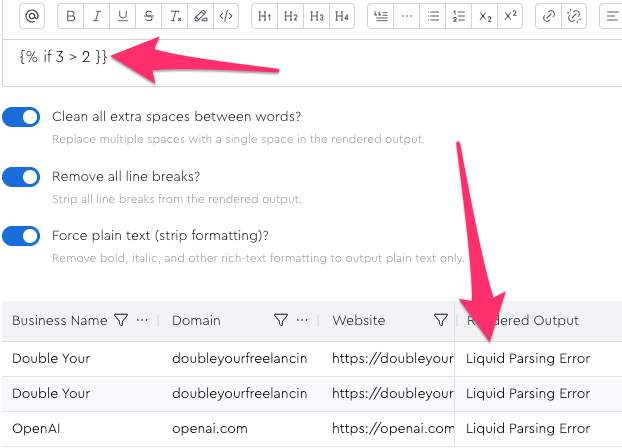
The main thing you want to be careful of is the “wrong data type comparison” stuff we’ll talk about later in this module, to avoid getting yourself into situations where something seems to work in your initial Data Module config, but has a hidden flaw that you might deploy to all your leads and get bad output from without realizing it.
Why Liquid Is Worth Using
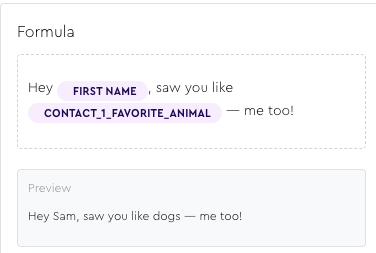
With liquid, you can do some truly incredible stuff. You can do things ranging from simple personalizations…
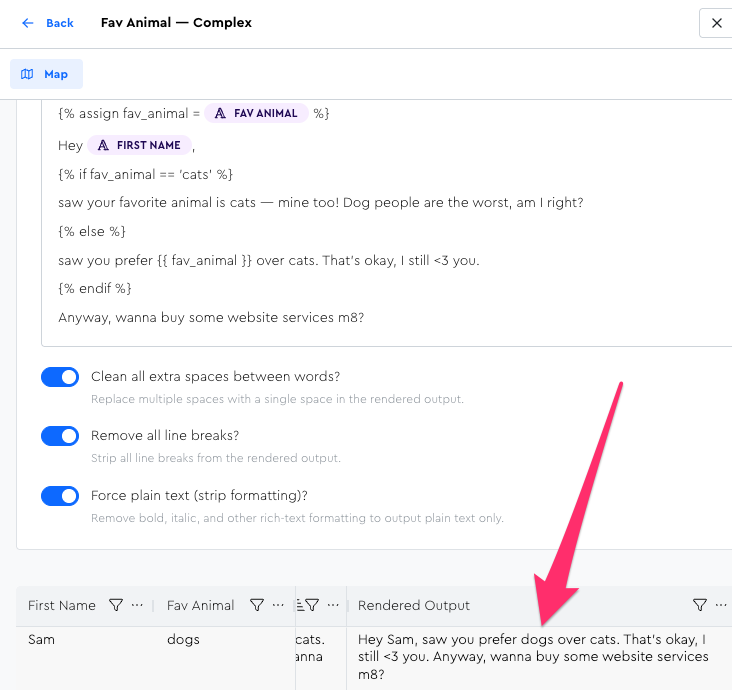
…To complex ones with branching “if this then that” logic…
…All the way to even creating compound ICP filters / flags that are composites of a bunch of different field values! For example, I have this formula for some of my cold outreach lists:
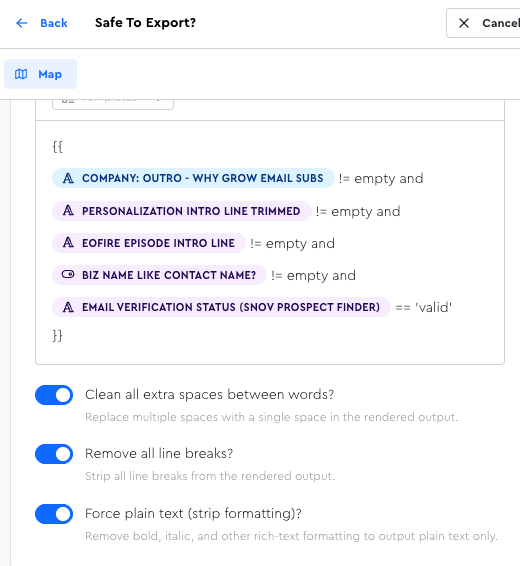
Which outputs a simple true/false:
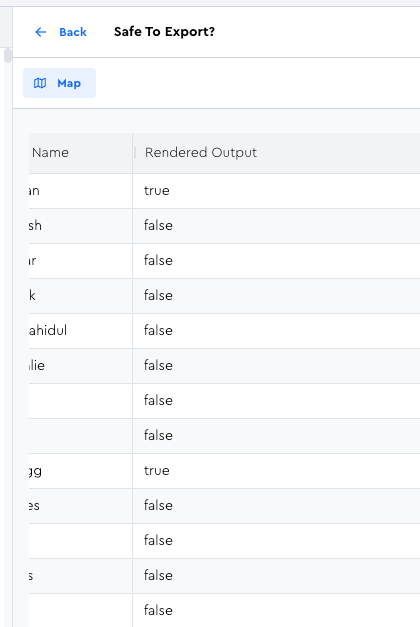
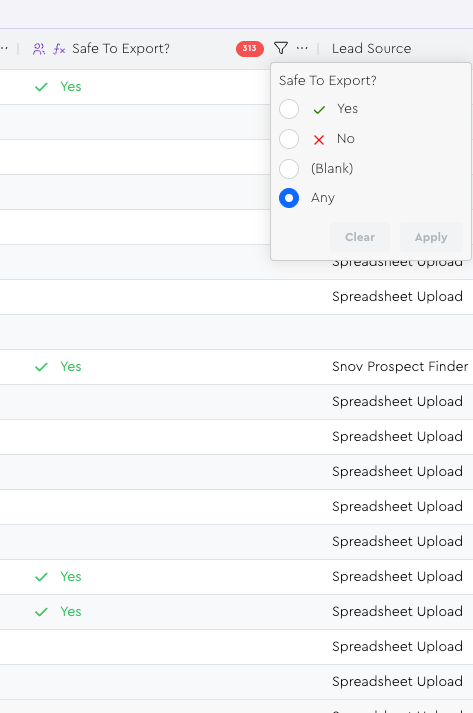
And since I have it outputting into a boolean column, I can easily filter by it to know if leads are all polished up and ready to be emailed, or if they still need some enrichment done for them first:
Let’s Start Small & Get ChatGPT’s Help
In the coming lessons, we’ll dip a toe into Liquid (see what I did there?) and then get ChatGPT’s help with the custom-trained LiquidGPT that I made for you to make things easy[-er].