
Canceling In-Progress Jobs
If you ever want to cancel an in-progress job, either due to it being stalled or you realizing you made a mistake with it, simply navigate to the jobs page from the sidebar of your LeadTable, find the job (probably at the top), and click the cancel button.
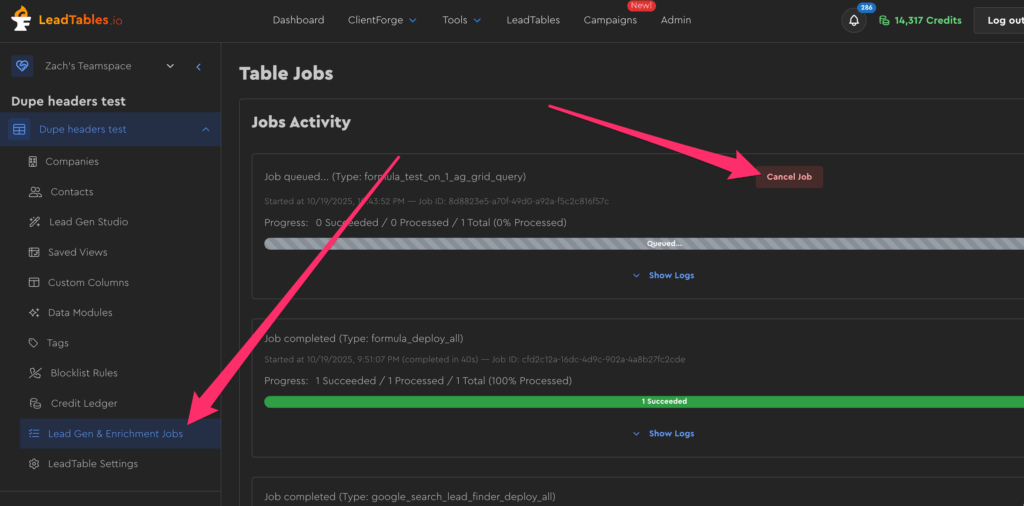
Things to keep in mind:
- When you cancel a job, it will stop processing records, but there’s no “undo” button for records that have already processed.
- You won’t be charged for canceled records that didn’t process.
- BUT you were already charged for the records that did process successfully prior to you canceling.
- Any batched records right in the middle of processing when you click “cancel” will still be finished up, so you might see a little data trickle in in the few seconds following cancellation.