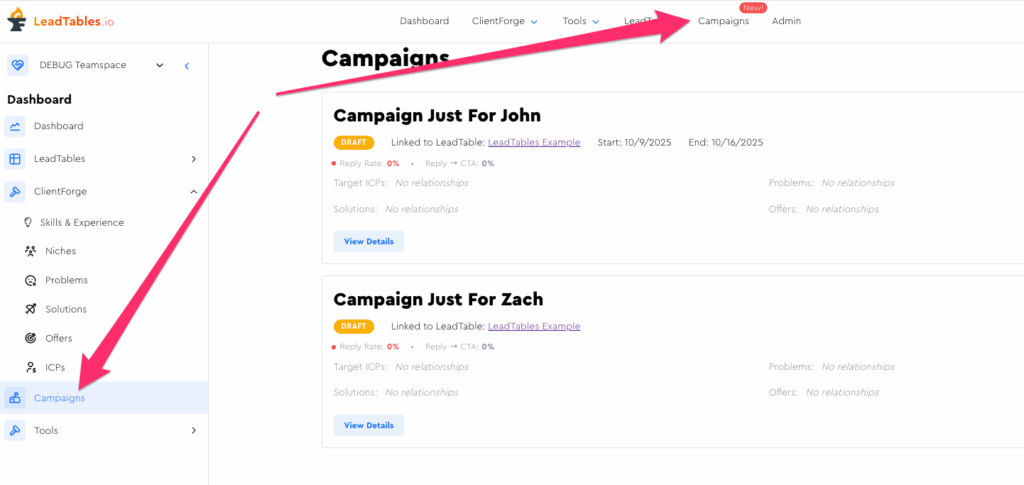
The Campaigns Area
The LeadTables Campaigns section solves the biggest challenges of running cold outreach at scale:
- Quickly & easily prepping your leads for exporting to your sending platform
- Knowing when enough time has passed since last cold emailing a lead that it’s safe to outreach to them again
- Knowing what campaigns performed well, and why some might have outperformed others, to help you iterate your way to huge performance improvements
- Tracking your campaign leads’ interactions & seeing their metrics
- Understanding’s your campaign ROI, CPL, CAC, etc.
We’ll dive deep into the campaigns area later in this course in a dedicated section, but for now, here’s what you should know…
- A “Campaign” represents a single outreach campaign, with its own strategy, funnel, email copy, etc.
- When you add leads to a campaign, the leads’ data still lives in their LeadTables. The campaign membership is an associative one.
- When you mark interactions (positive replies, CTA requests, etc) for a lead in a campaign, that happens on the campaigns table and contributes to the campaign’s performance metrics
- When you add a lead to a blocklist, that unsubscribedness applies across all campaigns in your entire teamspace. There’s no such thing as a “campaign-specific unsubscribe” in LeadTables. (You could track it with a tag though if you wanted to)
But let’s stop here and we’ll get more into all of that later in the Campaigns module.