
Billing Settings & Auto-Recharge
To manage your billing settings, first navigate to your organization:
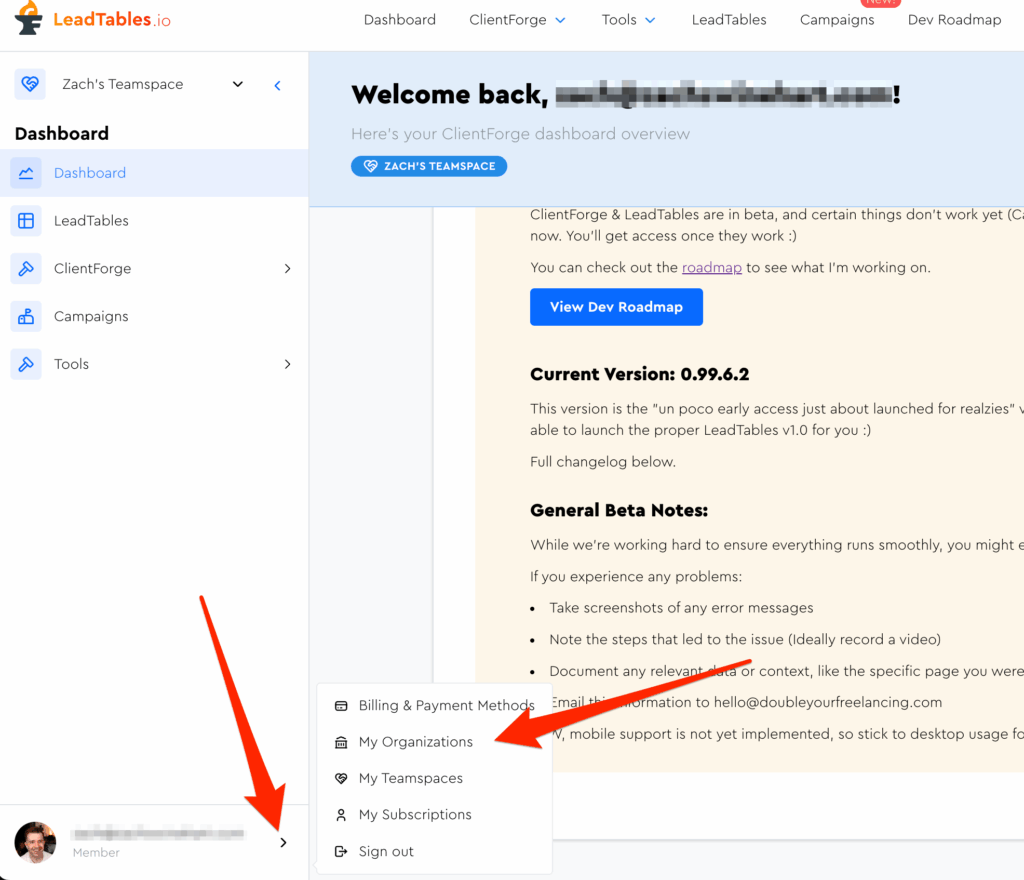
Then go to Billing Settings on the left:
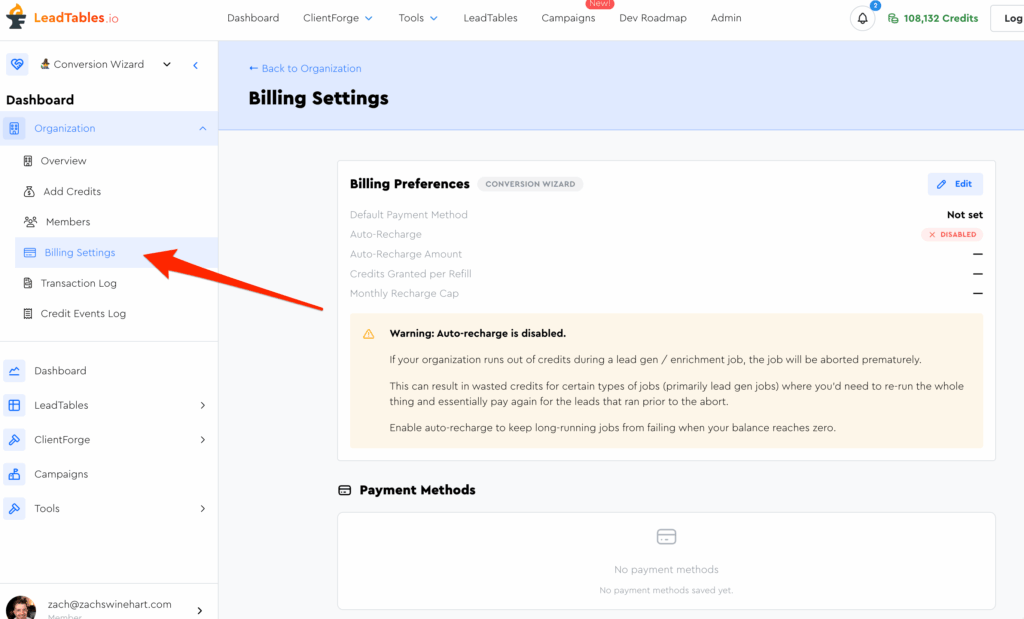
On this page you can manage payment methods and set up auto-recharge.
How Auto-Recharge Works
If you’re planning to run lead gen & enrichment operations with the LeadTables platform, it’s recommended that you set up auto-billing.
If you don’t, and a job runs out of credits partway through, it will be aborted.
This is a problem for certain types of list-building operations because for some, there’s no way to re-run it for “leads starting halfway through” — you’d have to re-run (and re-pay-for) all those early leads again.
Auto-recharge is the solution to this.
If you run out of credits mid-job, we’ll auto-recharge them at your chosen auto-recharge amount, as long as you’re not past your monthly auto-recharge cap.