Duplicating Past Campaigns
When you complete a campaign and are planning your next one, chances are it’ll be some kind of permutation of a previous one.
Maybe pretty much everything is the same, but you change the leads. Or the offer. Or the positioning. Or the copy. Etc.
In these cases, you probably won’t want to go through all the faff of creating a brand-new campaign totally from scratch, and would rather just dupe an existing one.
When you duplicate a campaign we carry over only the stuff that’s not contact-dependent or metric-dependent, giving you a “curated clean slate.”
When you duplicate a campaign, the following does NOT carry over to the dupe:
- 🙅 Associated contacts
- 🙅 Metrics finalization status (gets set to “Not finalized yet”)
- 🙅 Status (gets set to “Draft”)
- 🙅 Start Date
- 🙅 End Date
Aside from those “hard non-dupes,” every other decision of what to keep/wipe is up to you! When duping, the UI asks you what you want to keep so that you can copy over as much or as little as you want.
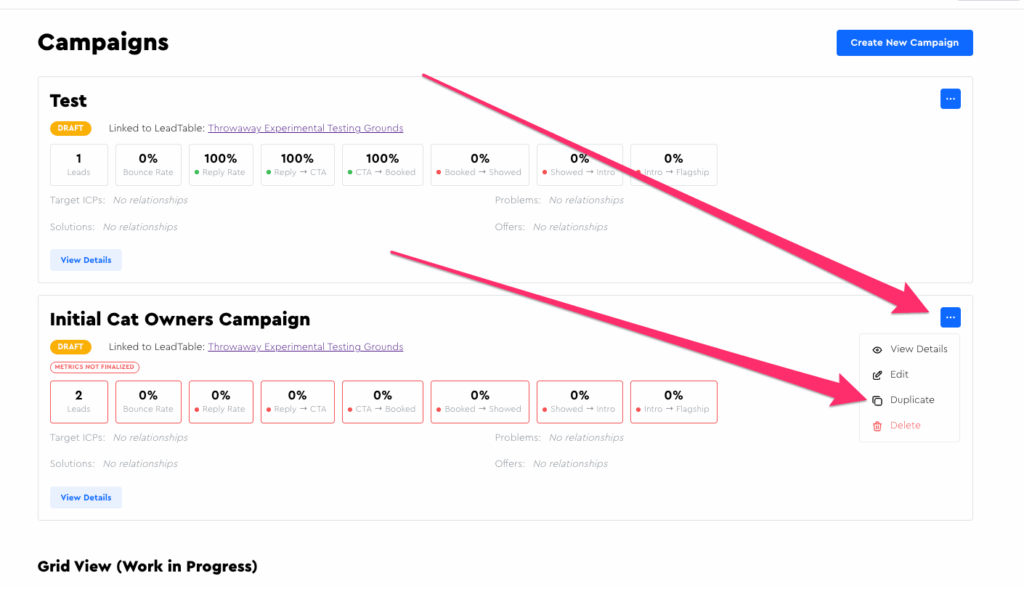
To duplicate a campaign, just go to the campaigns list, click the “…” menu for a campaign, and choose “Duplicate”:
When you do that, you should see a configuration modal that looks like this:
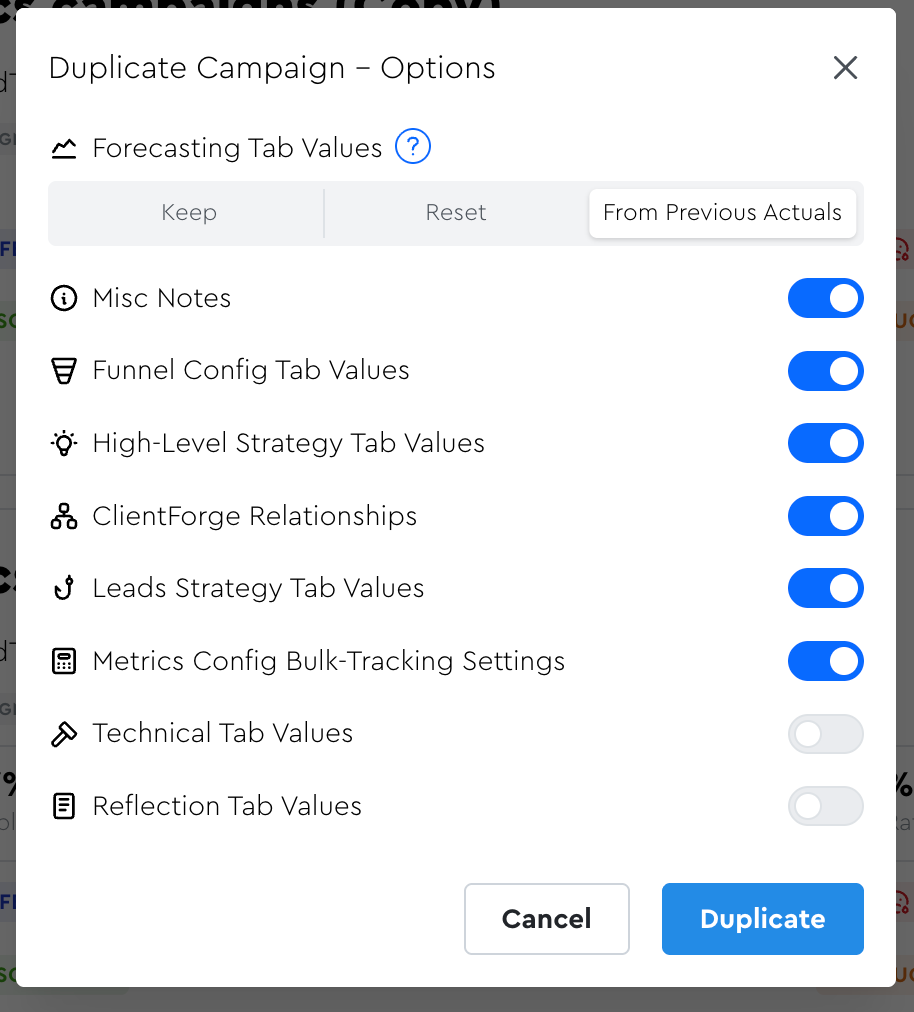
Configure it however you like based on what you want to keep / wipe, and click the “Duplicate” button.
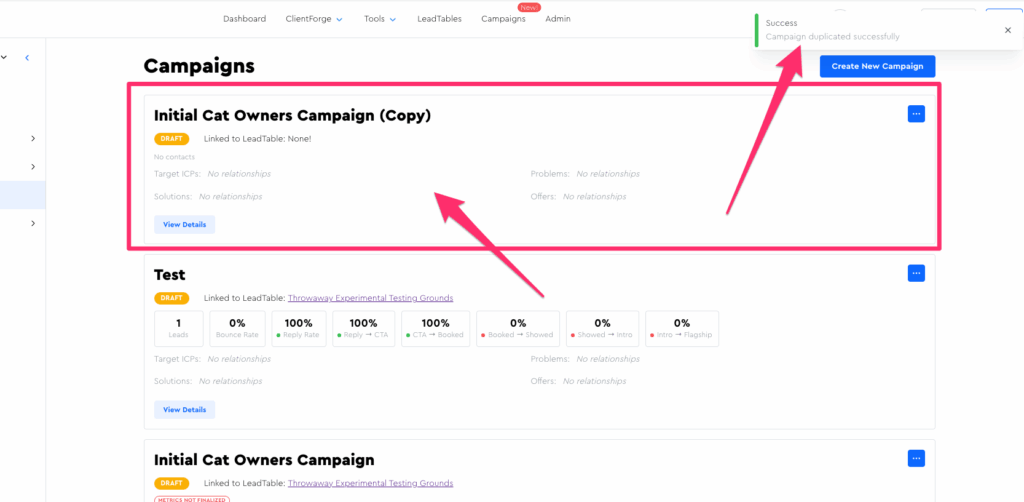
You should see a success notification and a “(Copy)” of your campaign in the list.