
Core Concept: Companies vs. Contacts
A key part of the LeadTables approach to list-building is the division between companies and contacts.
Here’s how LeadTables defines & organizes lead data…
- Companies — Exactly what it sounds like: one company is one lead. If you have a website url, linkedin, and business name for a company, those are all columns on the one company row.
- Contacts — Individual contactable leads. Contacts always belong to companies. (There’s no such thing as an orphaned contact with no company). A company can have unlimited contacts. If you have multiple emails for one person at a company, you’ll likely have two contact records for that person (at least with the way LeadTables is built right now) Contacts can also access all info for their parent companies in formulas, AI personalization, etc. (More on this later)
What This Means In Practice
When you look at a contact’s columns list, you’ll see both its columns and its company’s columns:
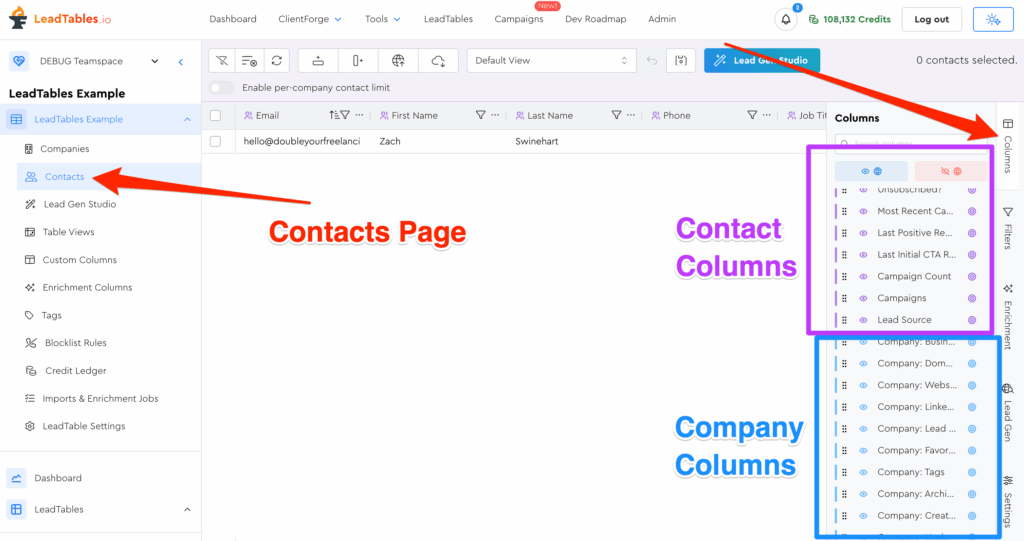
They can all show on the contacts grid in whatever order you want.
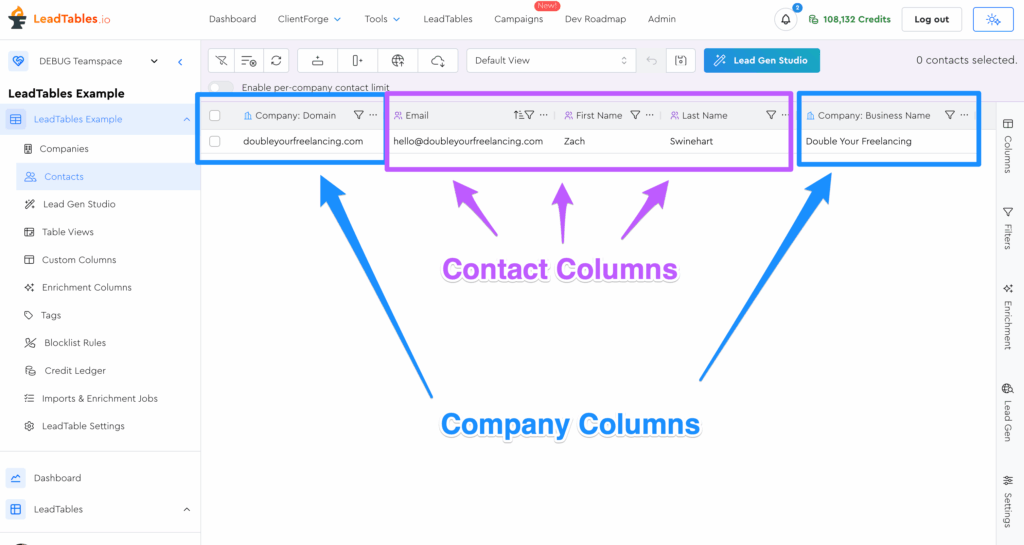
This is useful for things like personalization lines, where some of what you might want to personalize about (e.g. “job title”) is specific to the contact, but other things (e.g. “number of YouTube videos”) are tied to the company.
Here’s an example scenario: with these columns…
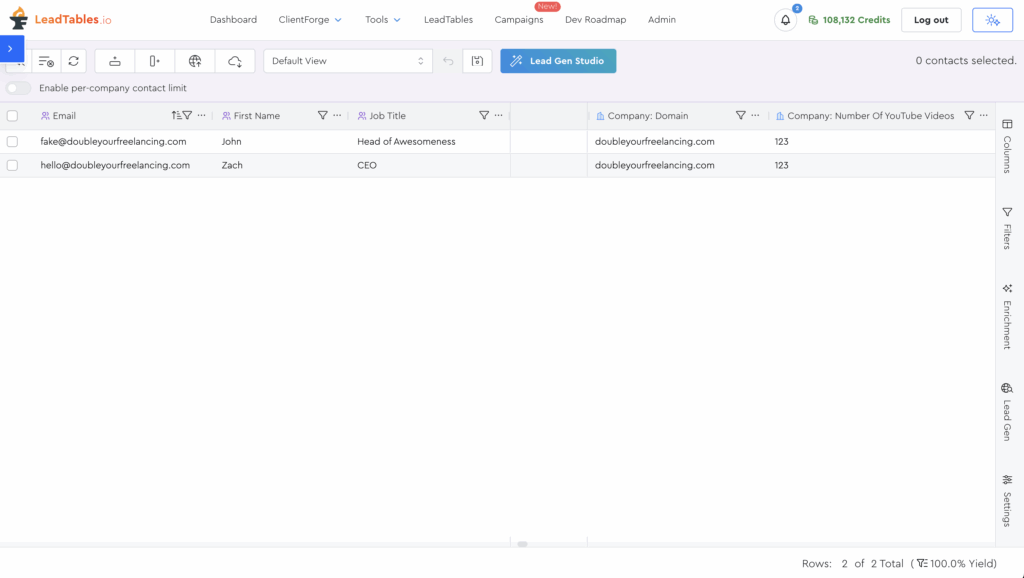
You might create a formula like this for an intro line:
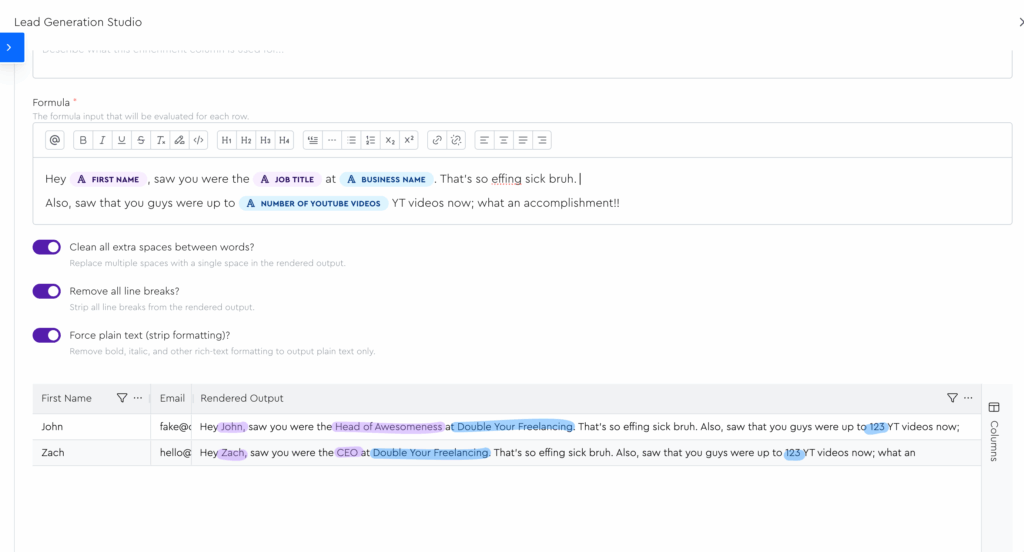
It probably wouldn’t perform very well in your campaigns because that’s a lame intro line and hook (😅) but you get the idea.
How Companies & Contacts Tie In To Sendable Cold Email Campaigns
When you add leads to a campaign, you add contacts → to the campaign.
Companies never directly belong to campaigns, but can report on metrics about campaigns their contacts are in.
For example, let’s say you added these two leads to different campaigns:
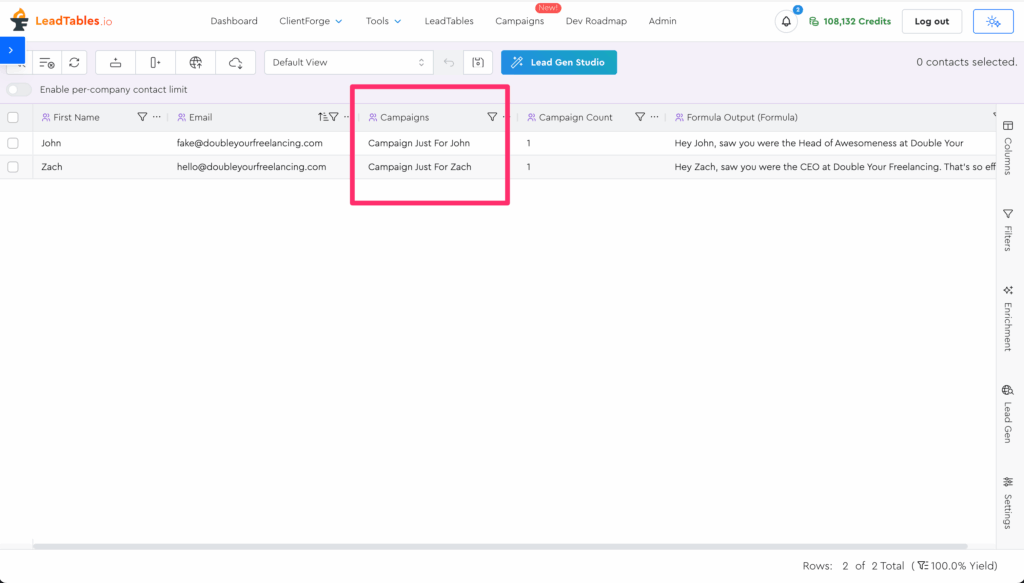
Even though it’s the contacts that belong to the campaign, the company is still filterable by the campaign info:
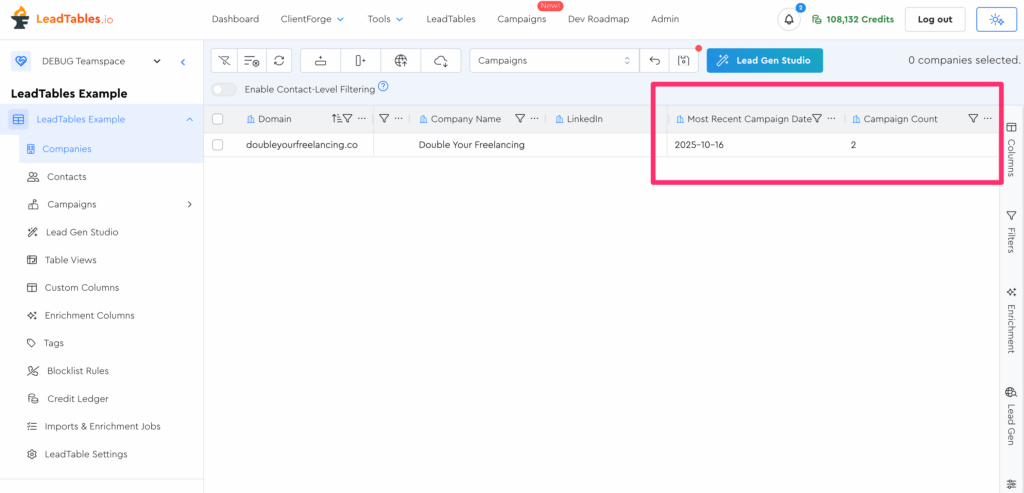
For example:
- “Let’s gather contacts for companies who’ve never received a campaign”
- “Let’s rehydrate some of our enrichment data for companies whose most recent campaign was over 6 months ago”
We’ll go deeper into Campaigns in a dedicated module later on in this course.
Still A Little Confused? Don’t Sweat It!
Once we’re in the “LeadTables Basics” module, we’ll go into more detail and do some practice exercises to help you understand this better. 🙂