Automation Debugging Essentials
Sometimes automations don’t work.
Maybe they throw an error, or maybe they simply don’t work as expected and it’s not clear why.
In these cases, we need to put on our “debugger hat” and figure out why.
Debugging process:
1 — Simplify
Minimize the amount of looping that’s happening — Ideally we can just test our automation on a single lead until we get it working.
2 — Go Step-By-Step
Debug step-by-step from start to finish to find where it breaks
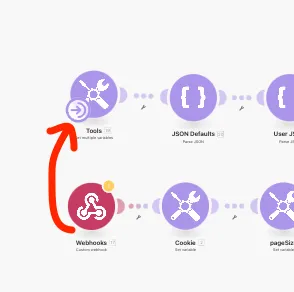
💡 Use the airplane icon if you need to understand the way it flows
3 — Bash Dat Head
Once you find the broken part, bash your head against the wall for a million hours until you figure it out.
Tweak the inputs / parsing to try to figure out why it’s not doing what you expect.
Is the problem the format of the input data? Simply copy/paste errors? Variables that aren’t defined? Errors with external tools?
💡It can be helpful to disconnect “further down the chain” nodes while debugging this one, so as to minimize unnecessary operations
4 — Alternatives to Head-Bashing
If you don’t want to smash your head against the wall for a million hours, you can…
- Dig through the Make Academy training to try to find a course/lesson that addresses this issue
- Hire a Make automation expert on Upwork to fix it / coach you on how to fix it yourself
- Do some debugging on your own and get Zach’s take on the next live $200KF call if you’re still stuck (be sure to front-load as much debugging in advance to just get Zach’s hot-take of what to try debugging next, to be respectful of the other students on the call)
5 — Isolate
If something’s breaking far down an automation chain, it can be useful to just copy and paste out the problem module into a separate automation or chain within this one
💡 NB: you can also select module modules for copy+pasting.
If you copy and paste it into a different part of this same automation, you can drag the trigger to your debug chain while you test, and drag it back to the main chain when done.